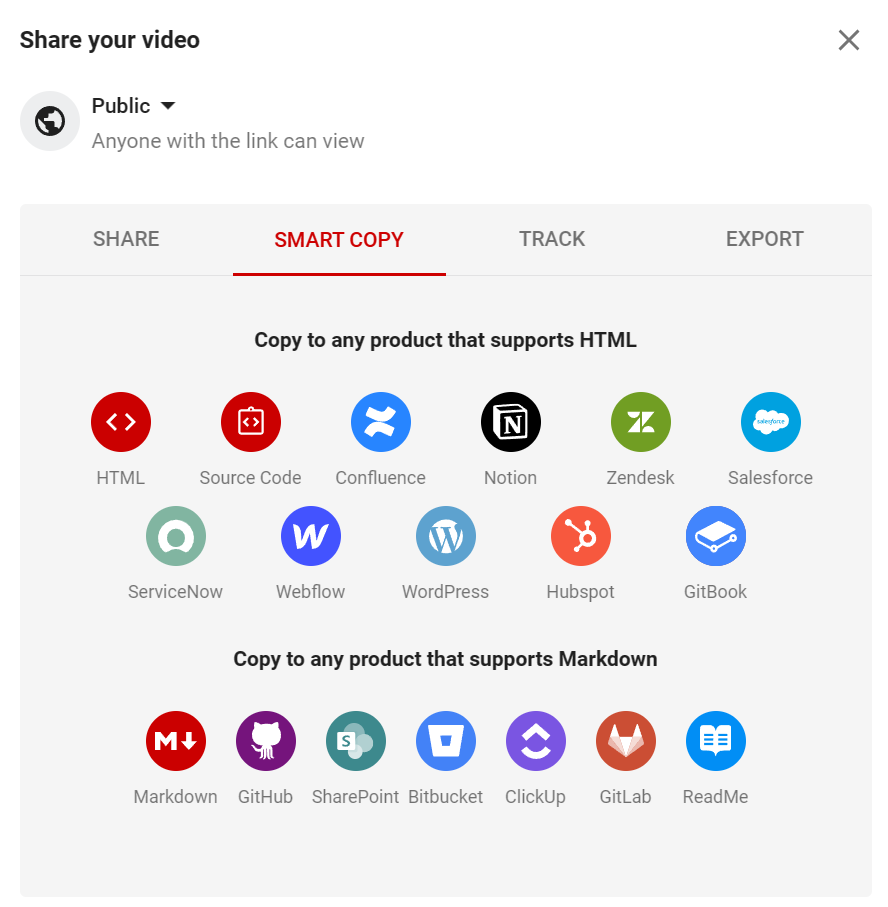
You've created some amazing videos with Guidde, and now you want to share them with the world. Or maybe you want to embed them in your wiki, knowledge bases, or website. No problem, we've got you covered.
With Guidde, you can:
Copy your How-to instructions in a format that is optimized for HTML or Markdown compatible text editors. Just select the "Smart Copy" tab and paste the instructions wherever you want.
Share your videos with a link or a GIF that you can paste into emails. Just click on the "Share" button and choose your preferred option.
Embed your videos on webpages, in chat threads, internal wikis, or anywhere. Just click on the "Embed" button and copy the code snippet.
Invite your collaborators or coworkers to review and edit your videos. Just click on the "Invite" button and enter their email addresses.
Track your video activity and see how many views, likes, and comments your videos get. Just click on the "Analytics" button and explore the dashboard.
Using Smart Copy, sharing and embedding your videos is as easy as waving your AI wand. Ready to spread your video 💫 magic ?